Send a Lucky Drop
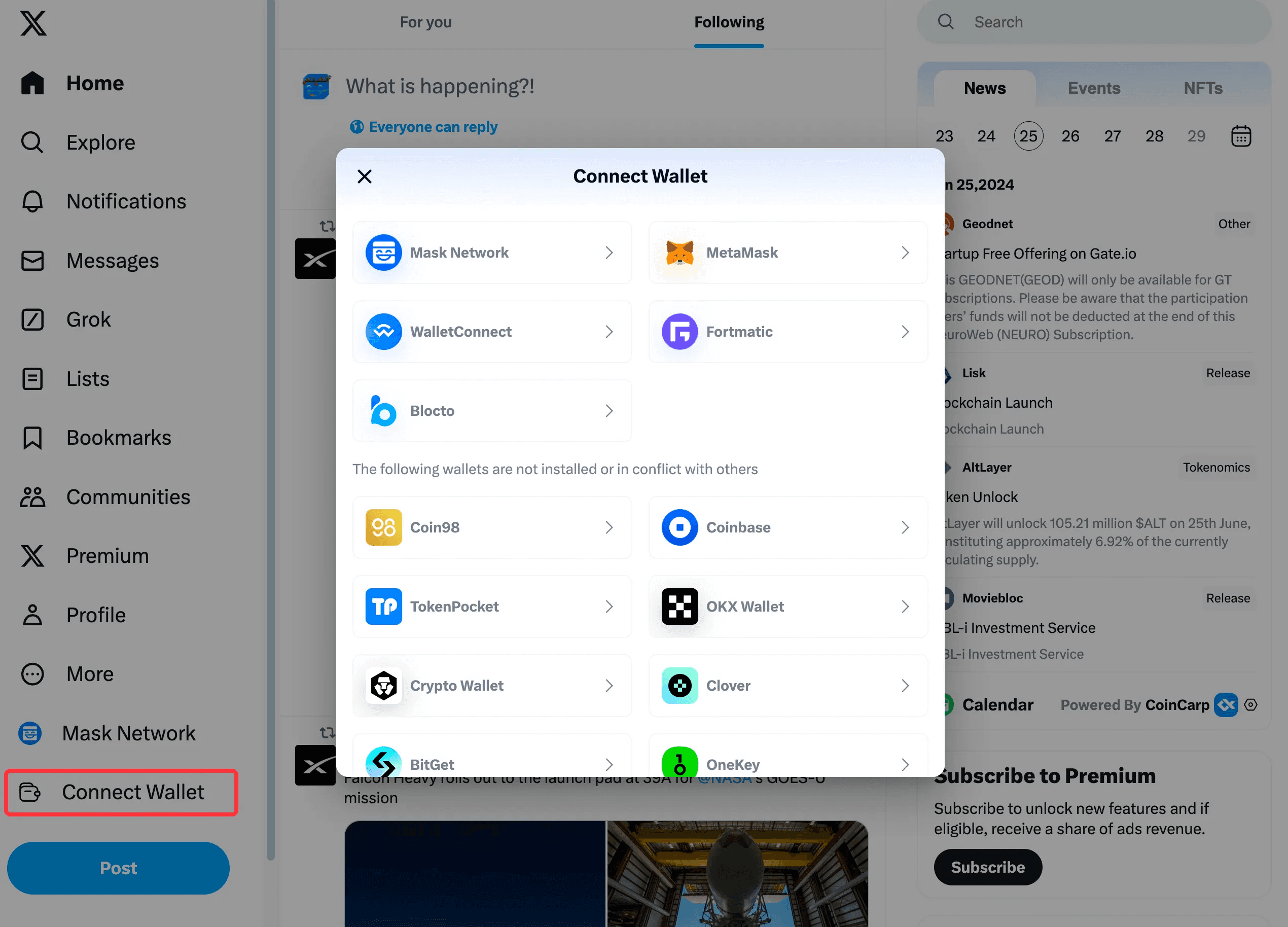
First, you need to connect the transaction wallet used for payments, claims, and other transactions on X.com.
Click Connect Wallet.
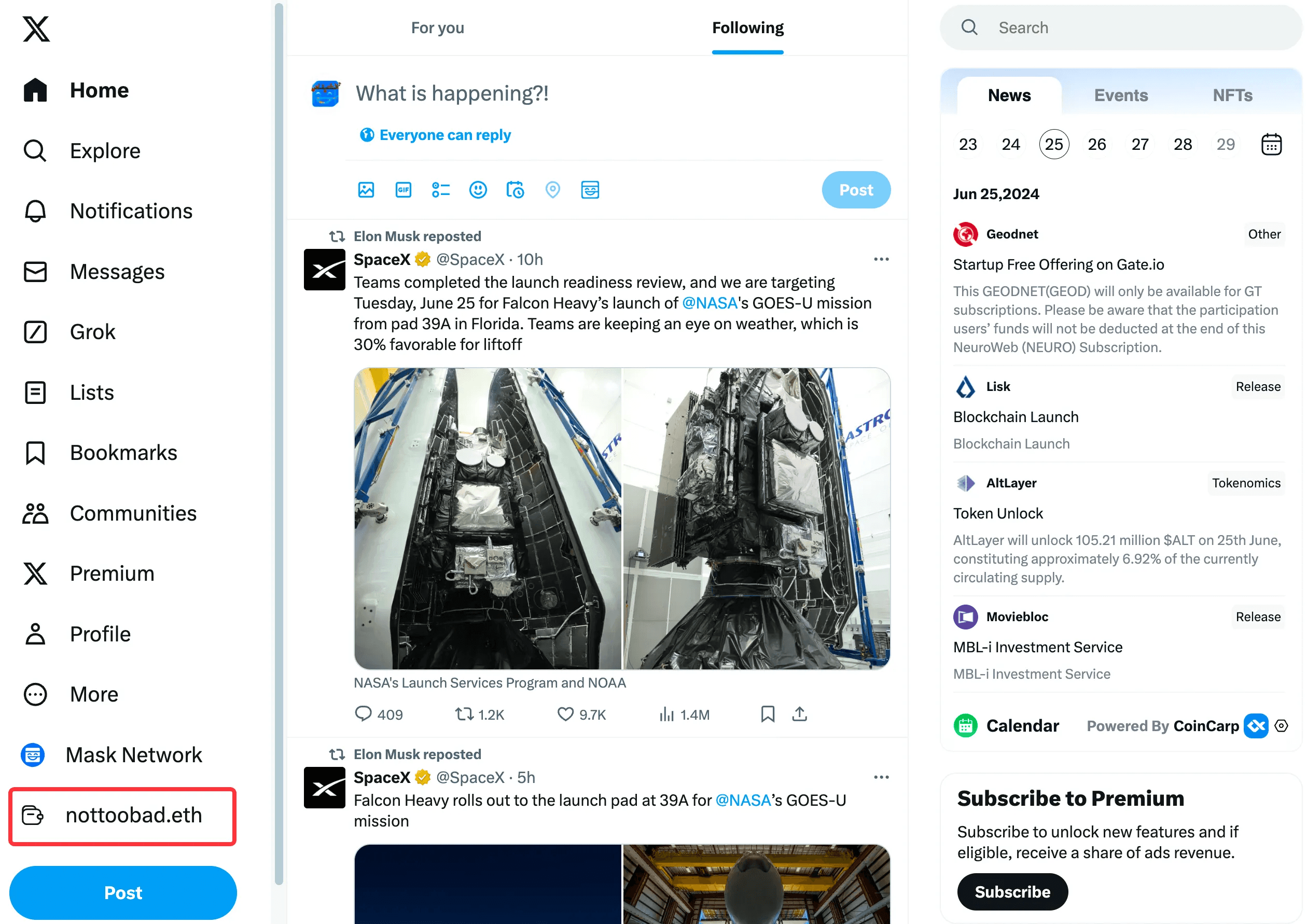
The currently connected transaction wallet will be displayed here.
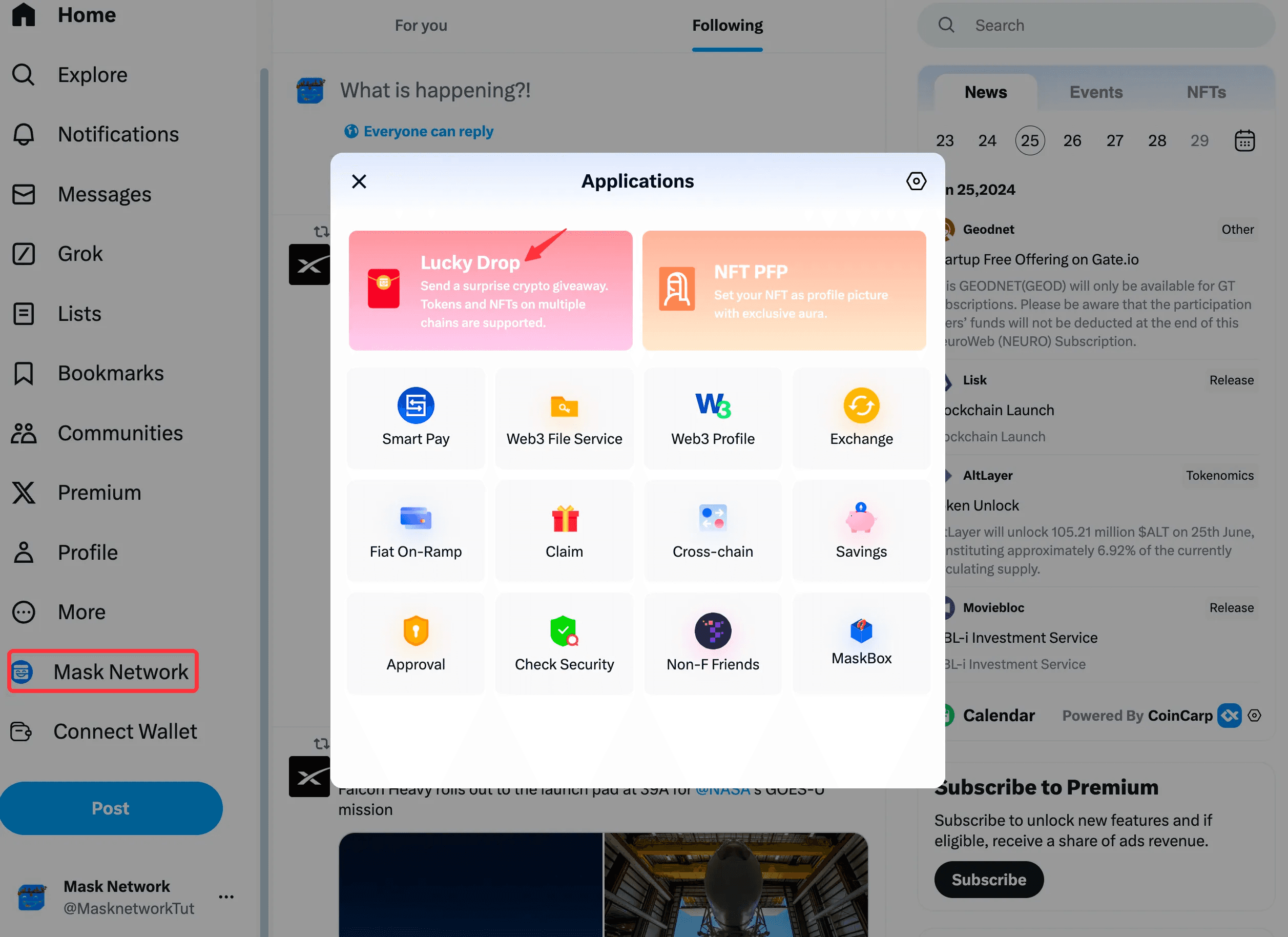
Next, click the Mask icon to enter the application list and click "Lucky Drop".
If you forget to connect your wallet and click on the application directly, don’t worry, we will also prompt you to connect your wallet.
Enter the Lucky Drop creation interface.
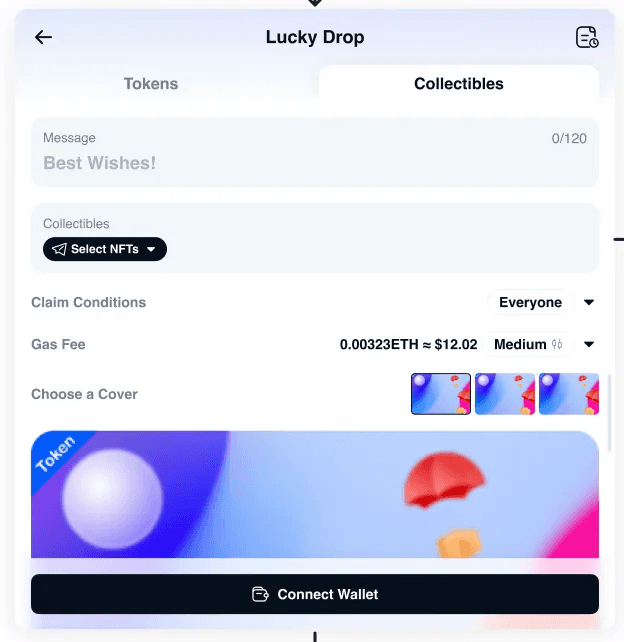
You can choose to create a Token Lucky Drop or an NFT Lucky Drop.
Token Lucky Drop
Connect Wallet: If the current wallet does not support the chain, you will be prompted to switch wallets.
Type
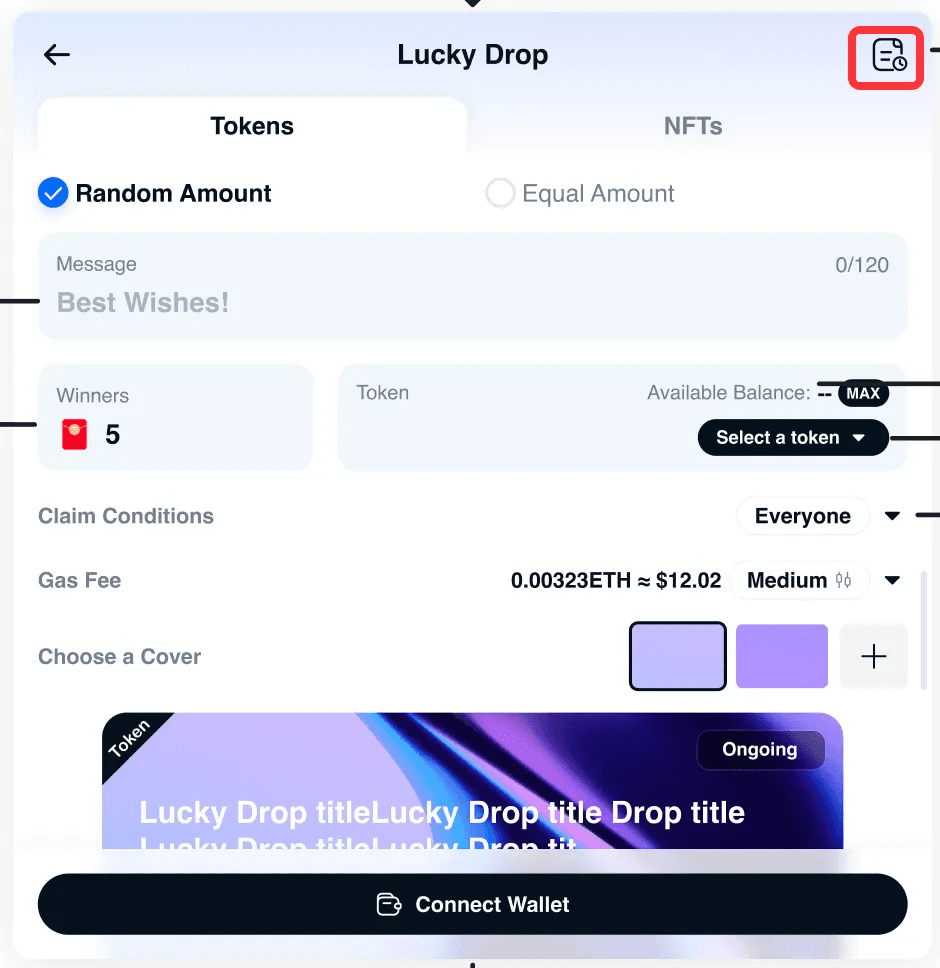
Random Amount: Each person receives a random amount.
Equal Amount: Each person receives the same amount.
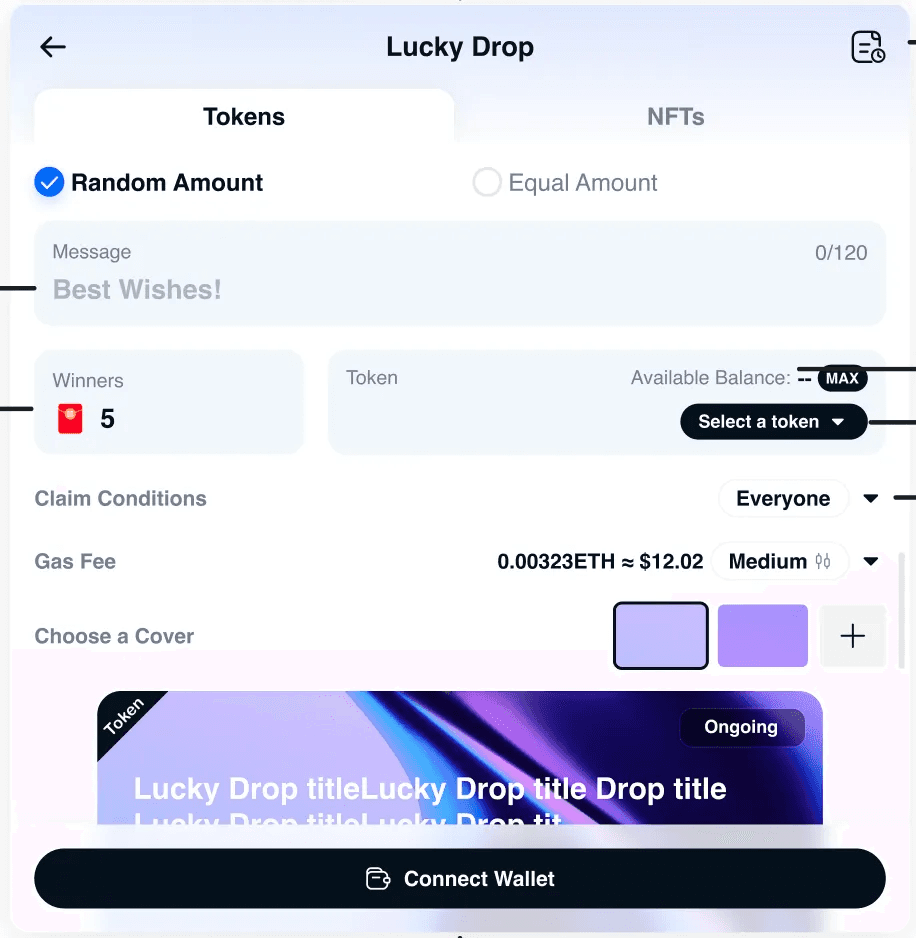
Message: Blessing message for the Lucky Drop.
Winners: Confirm the number of Lucky Drops.
Select a Token
Claim Conditions:
Everyone: Anyone can claim.
Crypto Holder: Only users holding a specified amount of tokens can claim.
Token quantity greater than: Enter the required token amount.
Supported Contracts: Select tokens (up to 5).
NFT Holder: Only users holding a specified amount of NFTs can claim.
Select NFTs
Choose a Cover
We provide some default covers, you can also click the + button to upload a custom image.
After uploading, you can preview, edit (zoom and crop), or reset the image.
Preview Lucky Drop
Risk Warning: Confirm the risk warning.
Gas Fee
Unlock Token: Unlock token permissions if needed.
After the Lucky Drop is successfully created, you can share the encrypted post containing the Lucky Drop link.
NFT Lucky Drop
The process is similar to creating a Token Lucky Drop, but here you choose NFTs.
Lucky Drop Management
Click the record button to view the history of sent and claimed Lucky Drops.
Sent: Sent Lucky Drops that can be shared, refunded, and viewed for claiming details.
Claimed: Claimed Lucky Drops that can be viewed for claiming details and checked for transaction hashes on the blockchain explorer.